Why we need this tool
The background of this tool is quite personal to me. After graduating from university, I continued taking on independent animation projects outside of my full-time work. Most of the time I handled the full production process by myself, including concept development, storyboarding, asset creation, animation, editing, and compositing. I managed those projects manually for a long time, but I always wanted a lightweight production management tool that could work well for small studios or small teams. There were mature industry tools such as ShotGun (Now is ShotGrid), but they often felt too complex for the scale and workflow I had in mind.
When I looked at film and animation projects more structurally, the final result was always assembled from many shots. Each shot could have a different production workflow, but the shot itself was the container that carried the important production context. Under each shot, there were referenced assets, and each asset also had its own production workflow. In my mind, the whole pipeline could be simplified into two core concepts: assets and tasks. An asset could be a shot, a 3D model, a texture, or even an entire project. A task could then be attached to different kinds of assets: a 3D asset might have modeling, rigging, and lookdev tasks; a shot might have lighting and compositing tasks; and a project might have editing or color grading tasks.
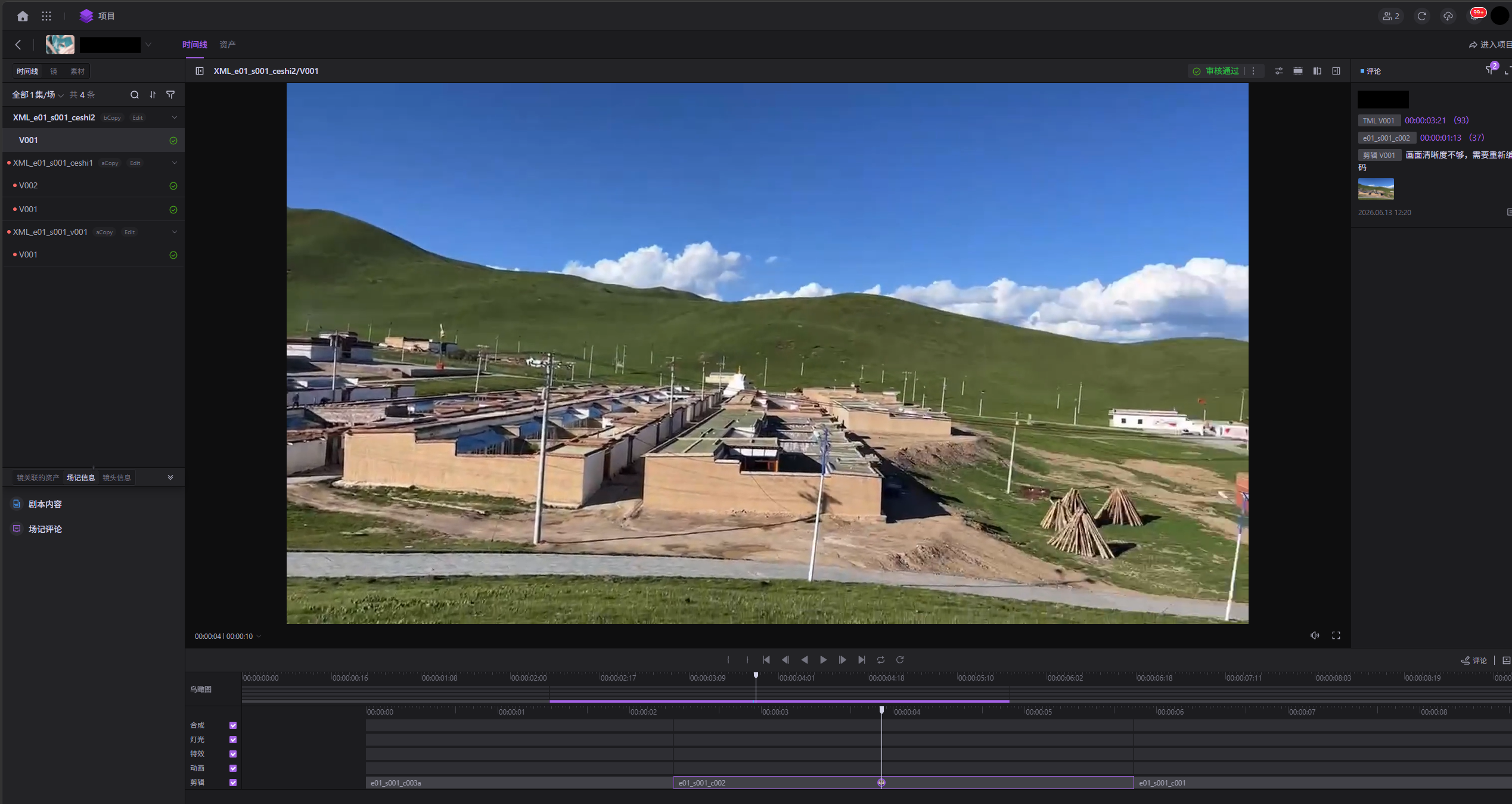
One of the most important visualization layers in this system was a timeline-based project management dashboard. I imagined an interface similar to video editing software: users could switch between projects and timelines, inspect every shot on the timeline, and then drill down into the tasks connected to each shot.
After I joined Versatile Media, I happened to share this idea with my supervisor, along with some earlier sketches and technical demos I had made. By coincidence, his vision was very close to mine, so I was assigned to help the pipeline team explore and implement this feature.
Existing Pipeline Context
The studio already had a custom pipeline. Metadata was managed through a central database, while project files and asset data were stored on a NAS file system. The company had also started building a web-based pipeline client with both web and desktop versions. I realized that much of the data needed for this tool already existed in the pipeline. We could collect and reorganize that data to support the timeline workflow, while keeping any newly required data decoupled from the existing system.
We also considered building the workflow on top of mature video editing tools such as Adobe Premiere or DaVinci Resolve. However, those tools made custom UI and pipeline integration difficult, and they did not provide enough flexibility for our needs. In the end, we decided to integrate the tool into the company’s existing pipeline client.
Production Process
Although I already had an initial concept and design direction for the tool, the final product still needed to match the needs and habits of the production team. I first joined the actual production workflow and walked through the process with the team to understand their pain points in project management and why this tool was needed.
The strongest need came from project managers and department leads. They needed a clearer and more convenient way to track project progress, shot status, and task progress across teams.
The primary users were teams from Versatile Media’s China branch. I learned that the development culture there was very engineering-driven and self-directed, but the team needed more structured communication and feedback loops. To support the process, I started organizing Scrum-style sessions. I was not a professional Scrum Master, but I had participated in Scrum sessions during previous school projects, so I applied what I had learned to this production tool.
During development, I helped the team clarify requirements, break work into tasks, and define acceptance criteria, especially because parts of the development involved an external outsourcing team. In meetings, I introduced exercises inspired by Design Sprint, Crazy 8s, and Solution Sketch, asking colleagues from different departments to participate and draw out their ideas.
Below are some hand-drawn sketches from colleagues across different departments:
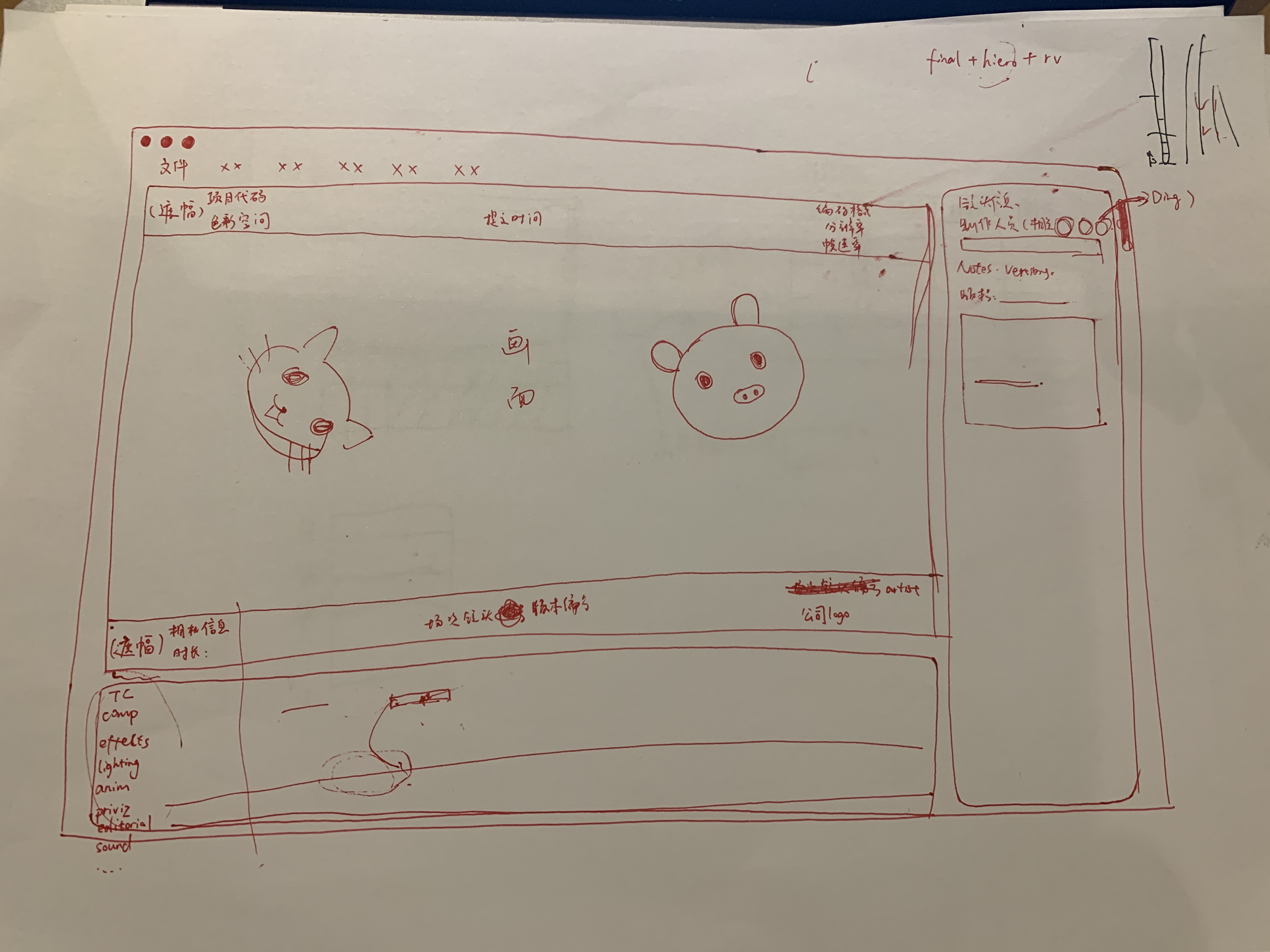
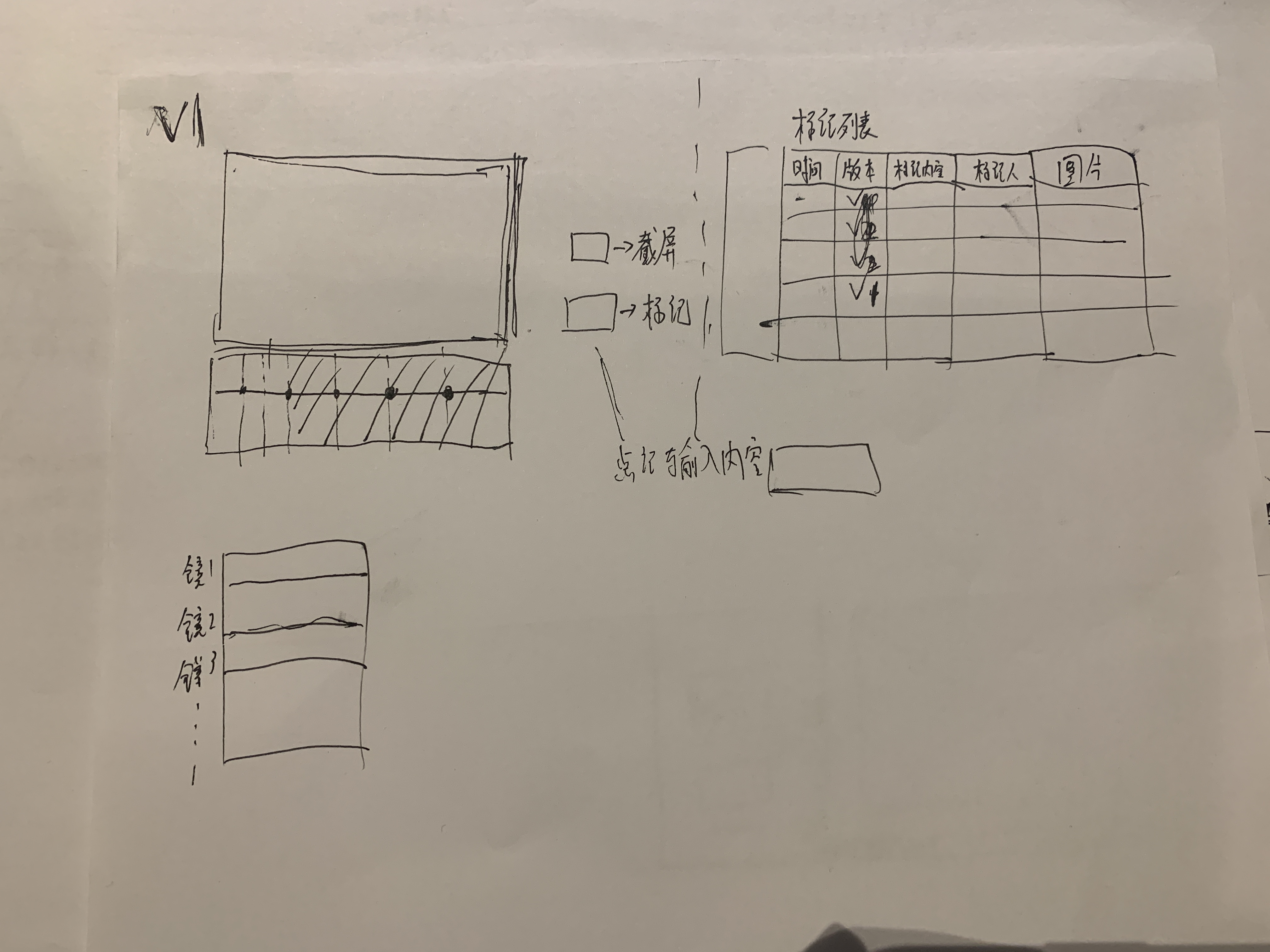
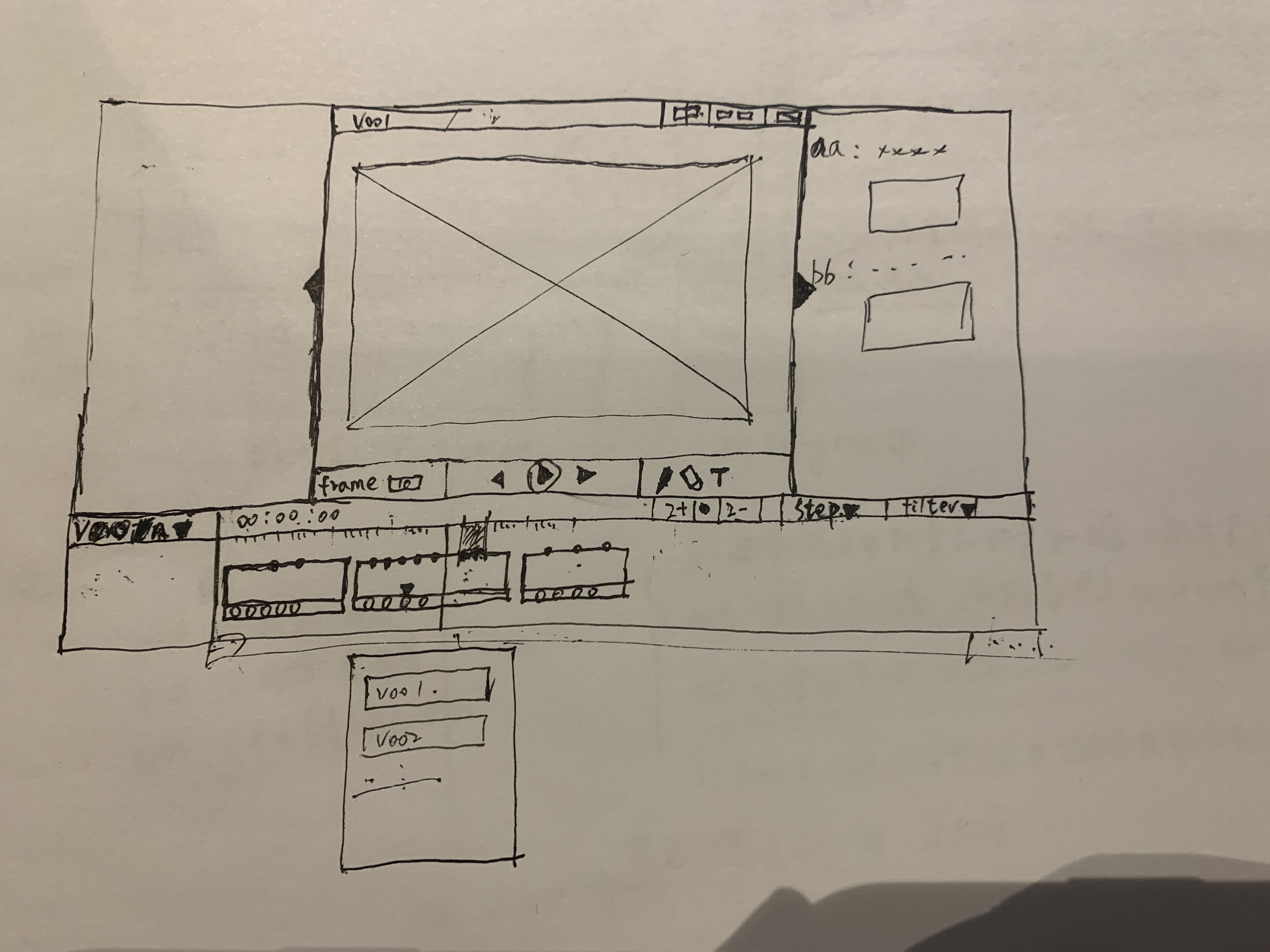
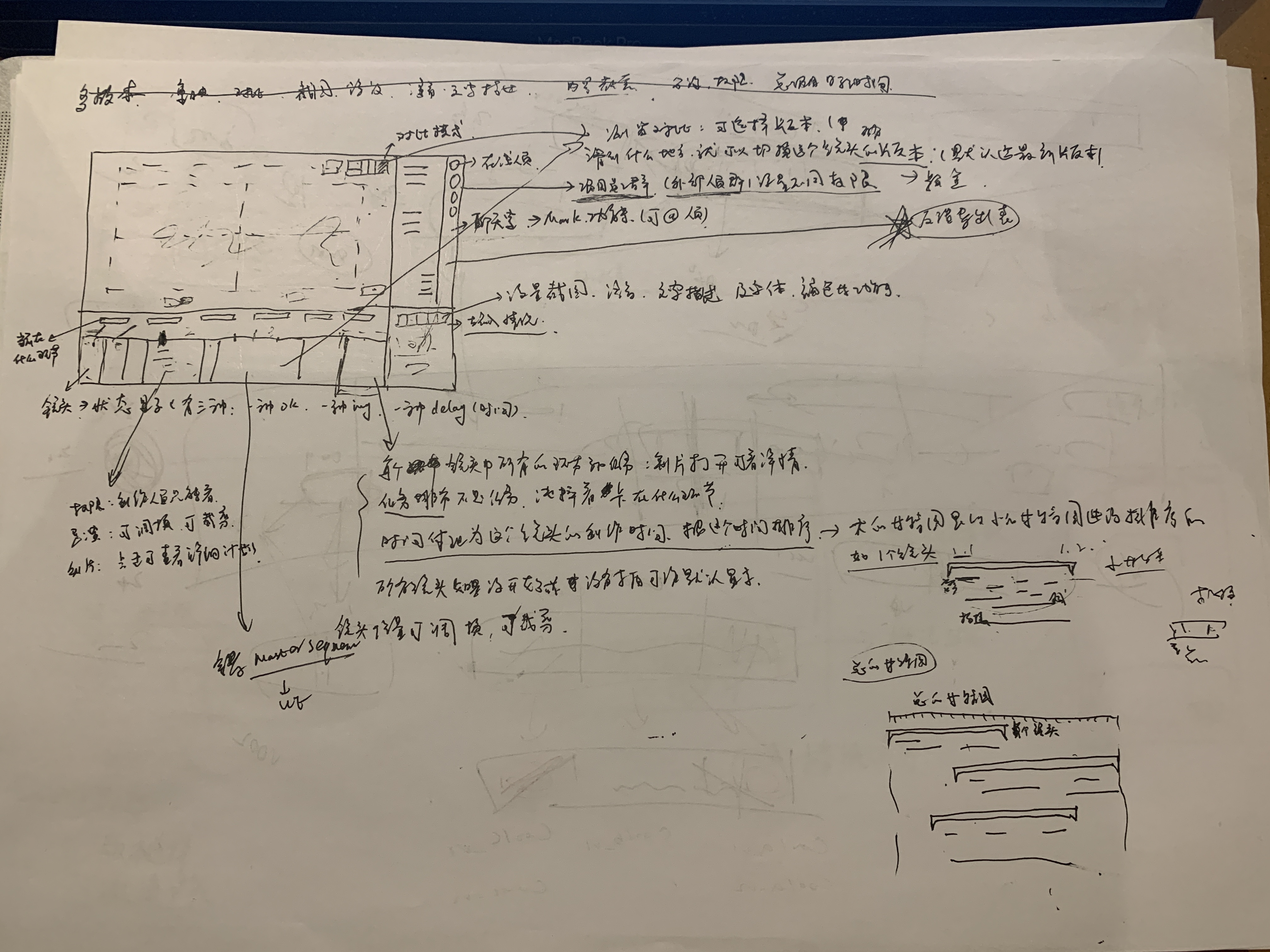
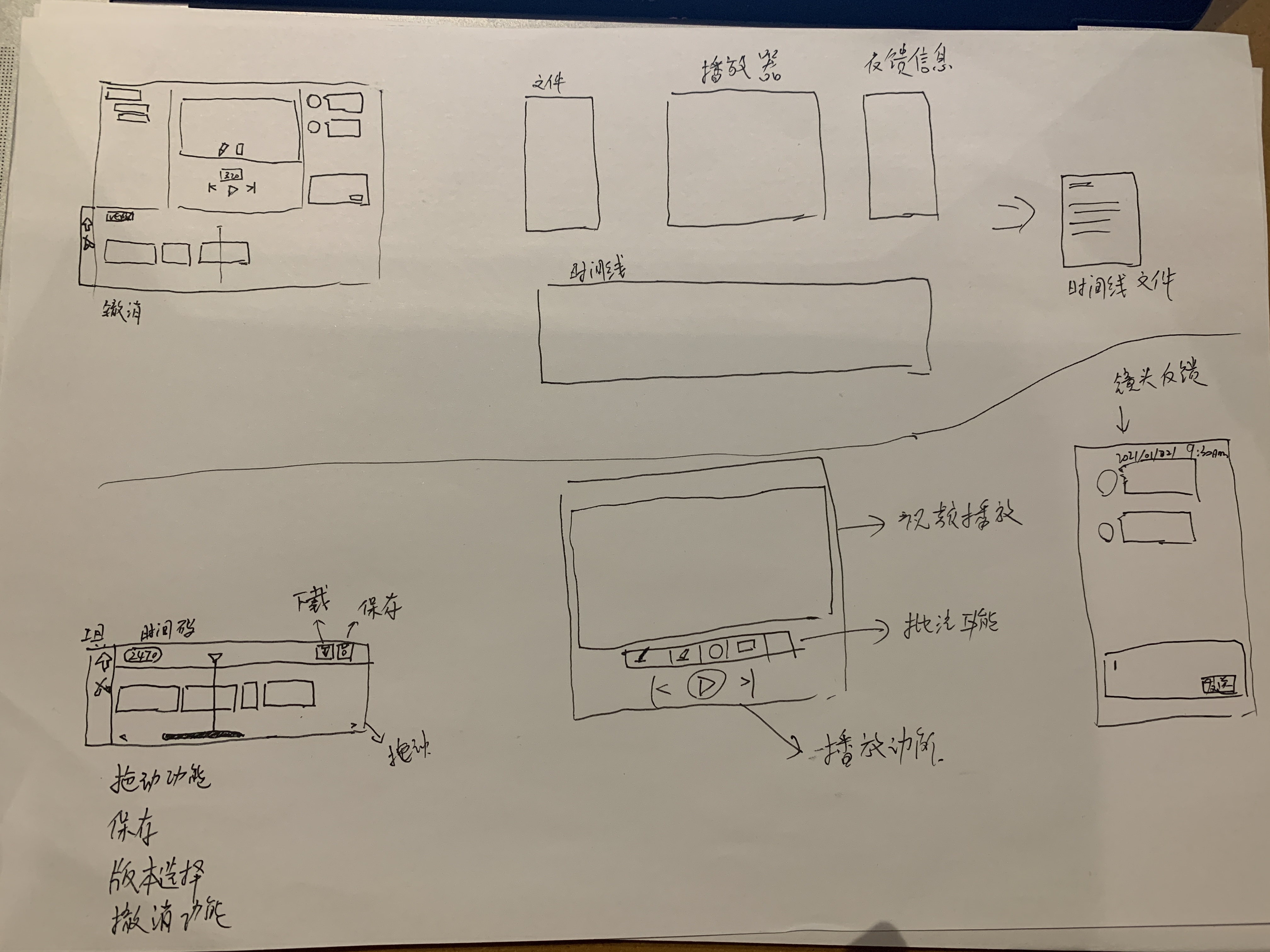
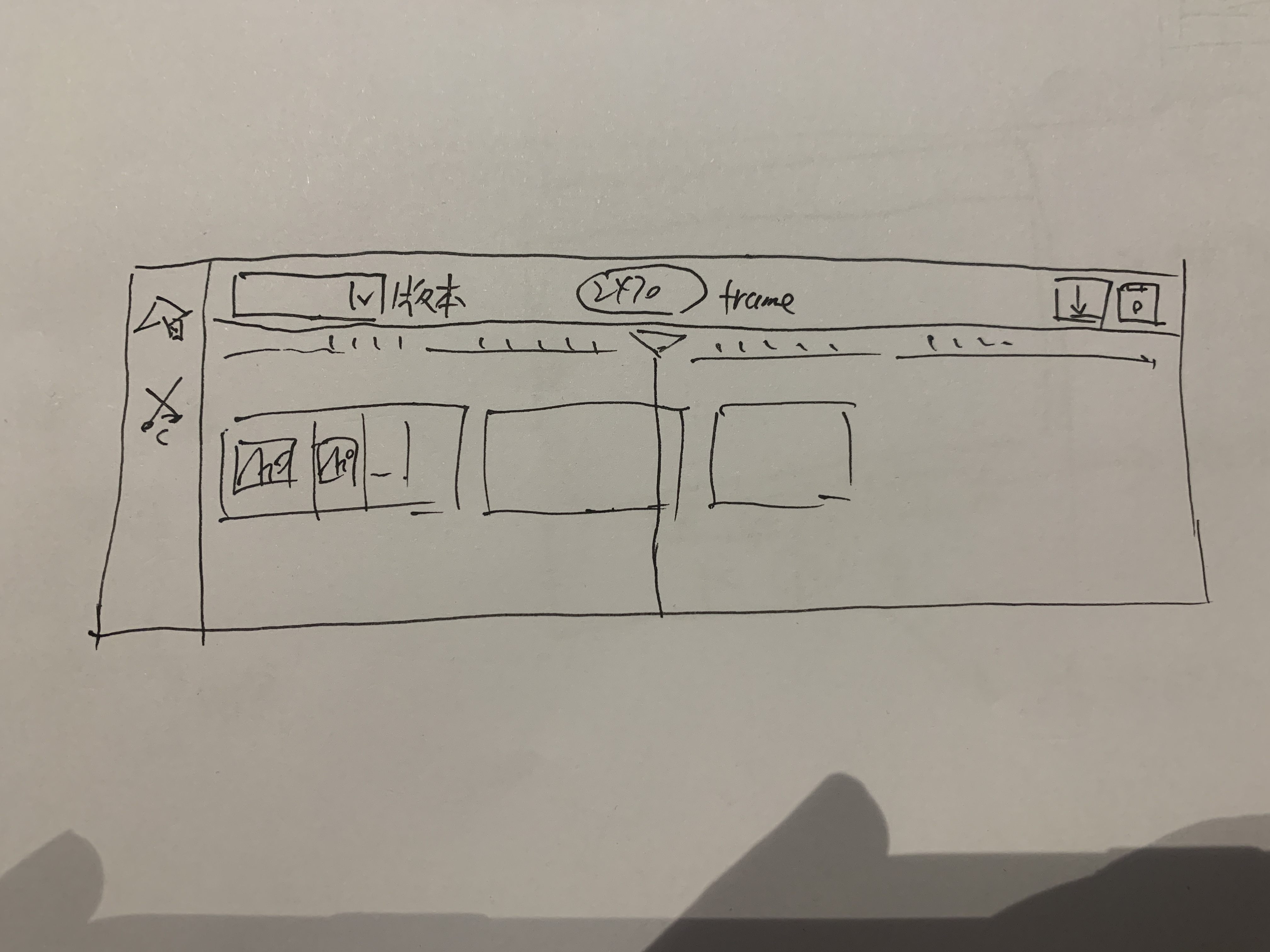
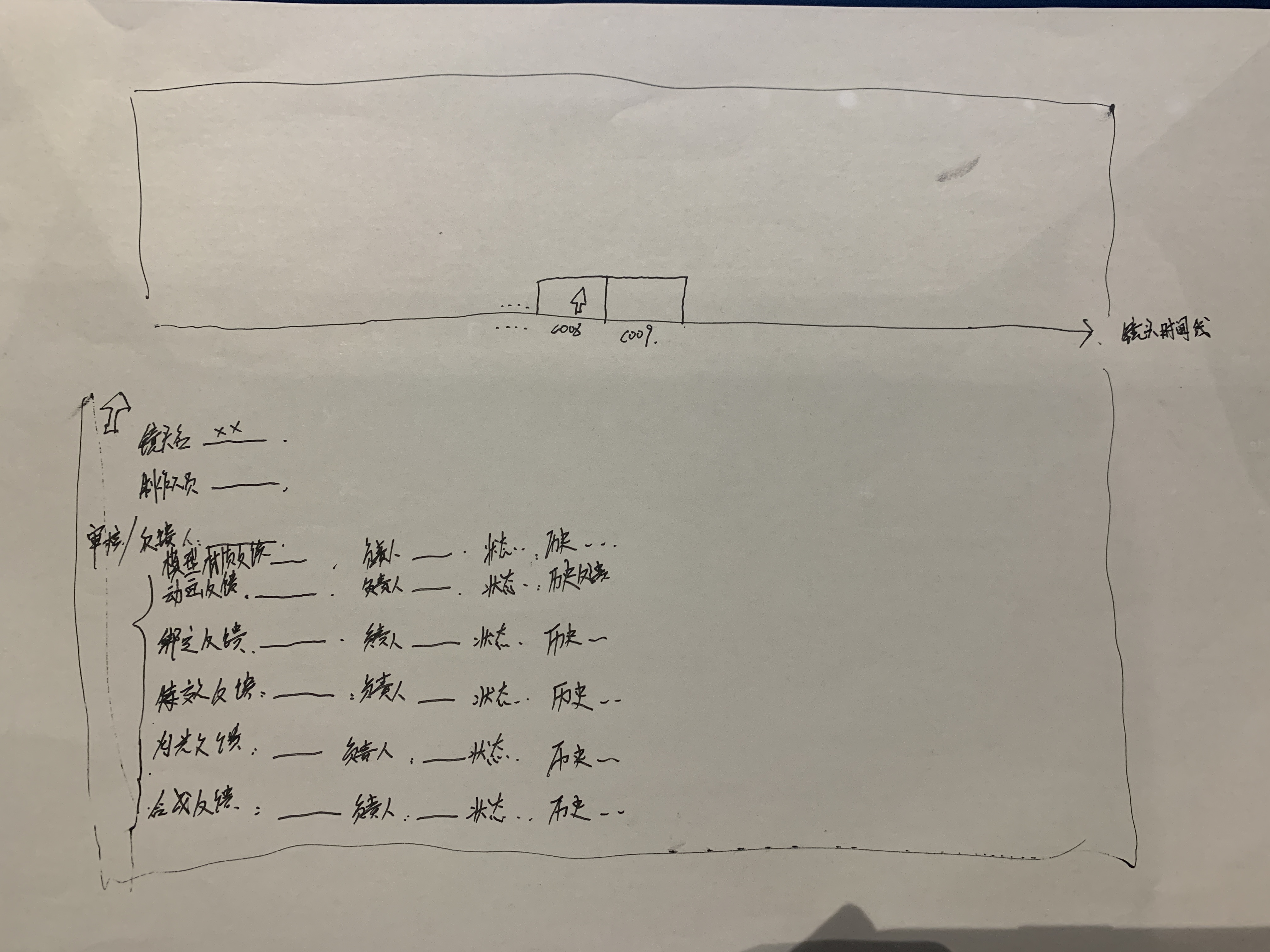
The value of this exercise was that the sketches revealed many practical production needs that were difficult to express through words alone.
After summarizing and breaking down the team’s requirements, I created UI sketches and data-structure mind maps to communicate the design direction to the outsourcing team.


This feature has now been integrated into the company’s China pipeline tool under the name Screen Room: